Google My Business is a fantastic tool to help you and your business to boost your SEO and potential sales leads. With over 46% of search results looking for local information; you can boost your visibility in your area, connecting to local potential customers utilising another aveneue to help your business.
What is Google My Business?
Google My Business is a platform ran off from Google’s business listings, giving your business the abilitiy to show on local listings for search results in your area. Every local business owner should utilise Google My Business, as your business can be displayed via the local pack, google maps and the knowledge panel.
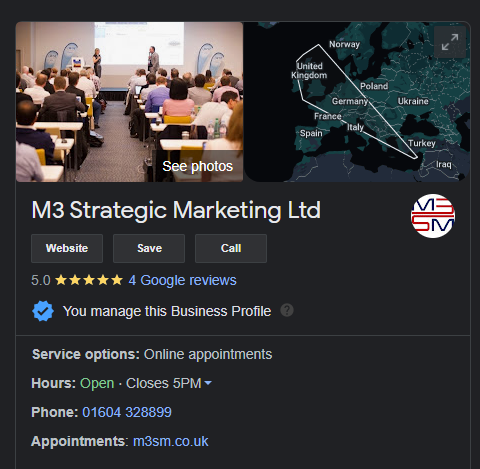
The above screenshot has been taken from Google’s Knowledge panel. We can see the company name, google reviews, hours open, contact information and crucial links. Using Google My Business allows you to appear on searches that you might not have appeared on without using this platform, and you have nothing to lose as It’s free!
How to setup GMB
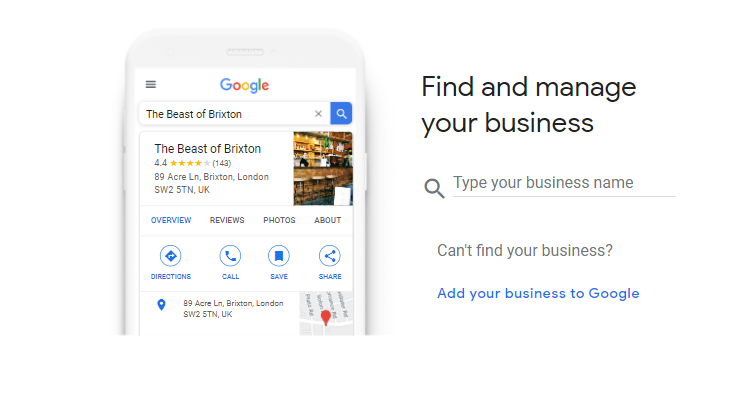
It’s very easy to set up a GMB page! First visit googlescreate page, type in your business name (this will show you if you have created a google my business page before). If you haven’t created a page before; click on the pop-up, fill in your business name, choose the category your business best fits into, add in your location (you have the option to not fill this in), add your address, and continue to fill in your businesses information through the fields google provides.
Once you have verified your business, you will be greeted by your dashboard! You will be able to complete your listing, including adding photos, your bussiness logo, a description, your opening hours and more.
Creating a strong online presence is essential to improving your SEO and potential sales leads, establishing awareness via Google’s business listing is just another pillar in achieving this. Why wouldn’t you want to use this platform!


